Tame Khush Gujarati Capcut Template – Friends, if you regularly create videos for social media, then you already know how important video editing has become. A simple unedited video often doesn’t get the same attention as a properly edited reel. But the main problem is that not everyone knows how to edit videos professionally. That’s why templates are useful for beginners. In today’s article, I have brought you the Tame Khush Gujarati CapCut Template, with which you can automatically edit your video by simply adding your own clips. You don’t need to perform complicated editing manually. Just follow the process given below and you’ll understand how to create this Gujarati-style video edit easily.
Details Of Tame Khush Gujarati CapCut Template
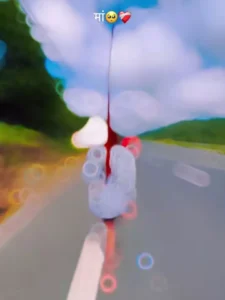
Friends, this is a sad-style Gujarati video editing template based on a Gujarati song. The editing is designed around the lyrics of the song, which gives the video an emotional and cinematic feel. The lyrics are displayed throughout the video using stylish 3D text effects. At the beginning, the video starts with a black background along with sad emojis, broken-heart emojis and other emotional elements. After that, your video clip appears with different effects and transitions. Slow-motion effects, flash effects and beat-synced animations are used at different points, making the overall video look more attractive. The lyrics remain an important part of the editing and appear according to the flow of the song. Because the effects and transitions are already added to the template, you only need to replace the existing clips with your own videos. If you want to create a Gujarati sad-status or emotional-style reel, this template can be used for that type of editing.
Why Should You Use CapCut Templates?
Friends, the biggest advantage of using a CapCut template is that you don’t have to create every effect and transition manually. All the main editing elements are already prepared inside the template. You simply add your video clips, and the template applies the existing editing automatically. This is especially useful for beginners who are still learning video editing. You can create a professional-looking video without having advanced editing knowledge. Templates also make it easier to follow current social media trends because new styles and edits are regularly available as templates. If you want to save time while creating Gujarati songs, sad-status videos or other trending reels, using a suitable CapCut template can make the process much easier.
How To Use Tame Khush Gujarati Capcut template
Friends, I’ve given you so many tips. Now you should have understood all of this very easily. And let me tell you the final thing. You don’t have to edit it, you just need to use the template. You should know how to use it on a tablet. I’m going to tell you how you can easily use the template and prepare your video. So, what should you do first? To do that, first go to our website and click on “Check Template.” Clicking “Check Template” will take you directly to “CapCut.” In “CapCut,” you’ll click on the template below and set your clip. Click on the “Template” button to set your clip. As you set the clip, make it attractive, as I told you, and add it this way. Don’t add over-edited clips. Just add a good, attractive one. After setting it, click on the “Next” button and you’ll be able to easily prepare your video. To export, you can also export it very easily by clicking on the “Export” button in the corner.
Conclusion
Friends, this is how you can create a Tame Khush Gujarati CapCut video easily with the help of a template. The combination of Gujarati lyrics, emotional emojis, slow-motion effects, flash transitions and beat-synced editing gives the video a unique desi Gujarati vibe.
You don’t need to spend a lot of time doing manual editing. Simply add your suitable video clips to the template and complete your edit in a few simple steps. If you want to find more trending Gujarati CapCut templates and unique video editing styles, keep visiting our website for more updates.